
Compress images without losing quality
A built-in quality gate checks every pixel, so the result looks identical to your original, just smaller. PNG, JPEG, WebP and iPhone HEIC. Free, no sign-up.

Identical to the original, verified pixel by pixel
 HubSpot
 Slack
Slack Notion
 Linear
 Zendesk
 Intercom
 Zapier
 QuickBooks
 Google Meet
 Google Sheets
 LinkedIn
Spot the difference. Zoom in, there isn't one.
A real photo, compressed by the same engine as your files. Drag the wipe, then inspect the pixels up close with the loupe.
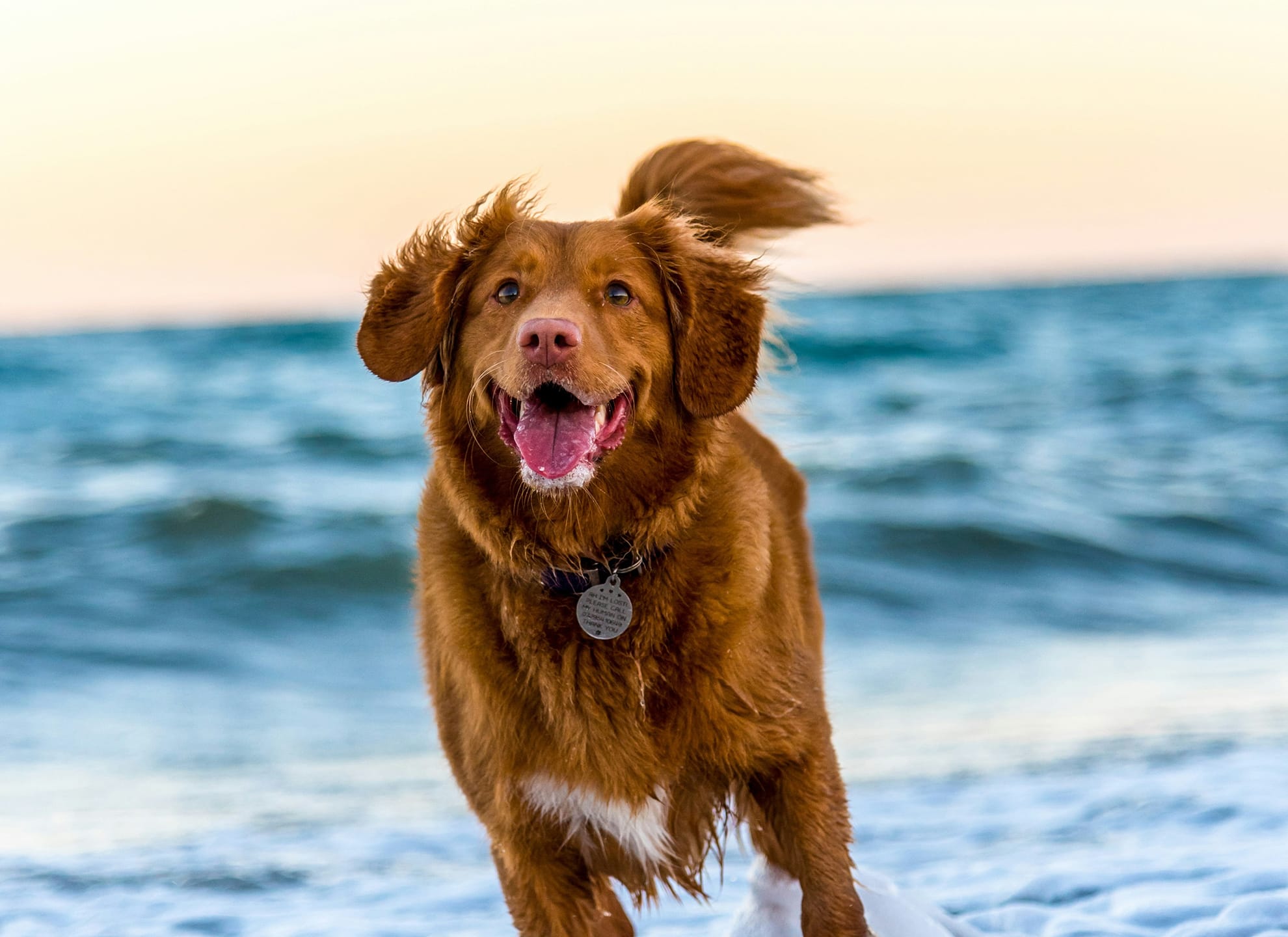 Original · 2.2 MBCompressed · 193 KB · −91%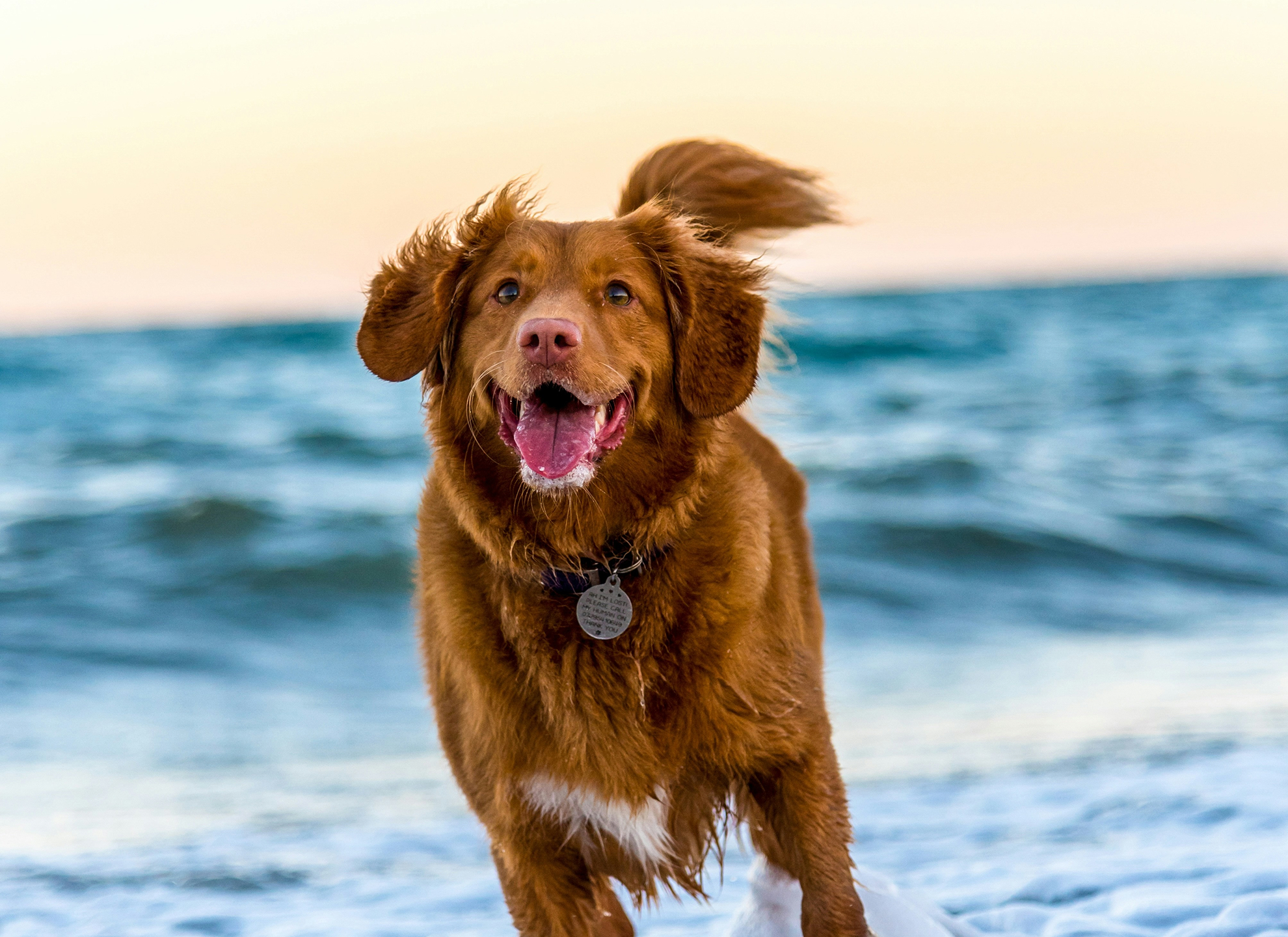
Hover the image for an 8x loupe: left half is the original file, right half the compressed one, at the same spot.
Tap Zoom in, then drag your finger: an 8x loupe shows the original file on the left and the compressed one on the right.
Notice that the original looks grainier under the loupe? That fine noise is invisible at normal size, and it is exactly what the encoder throws away. It is where most of the saving comes from.
- File size
- 2.2 MB → 193 KB
- Pixels
- 1980 × 1440, unchanged
- Saved
- −91%
Every format. Its own encoder.
Photos, screenshots, logos, transparent graphics and iPhone HEIC images. Typical savings are 50–80% for PNG and around 70% for JPEG, with no visible difference.
- PNG01
Compress PNG
Screenshots, logos and graphics with transparency.
50–80% smaller - JPEG02
Compress JPEG
Photos from cameras and phones.
about 70% smaller - WebP03
Compress WebP
Modern web images, re-encoded where they still have room to shrink.
- HEIC04
Compress HEIC
iPhone photos, decoded in your browser and returned as JPEG.
Drop it in. Get it back lighter.
Compresso finds the colors and details your eyes don't register and removes only those. A built-in quality gate compares every result with the original pixel by pixel. If a difference could be visible, we keep the safer version, so your image never gets worse.
01 / Upload
Your images stay private
Processed in memory and deleted the moment your download is ready. Never stored, logged or shared.
02 / Quality check
No quality loss
A per-pixel check keeps every image visually identical to the original.
03 / Download
Free, no sign-up
No account, no watermark, no limits. Just drop and download.

Frequently asked questions
Yes, completely free with no sign-up and no watermark. Compress as many images as you like within the per-batch limit.
No. A built-in quality gate compares every result with the original pixel by pixel and keeps it only when the difference is invisible, so your image never looks worse.
Measured on the demo photo on this page: the file is 91% smaller, the average pixel difference is 2.85 out of 255 brightness levels, and 99% of pixels change by 11 levels or less. Most of the saving comes from removing camera noise you cannot see at normal size. Use the loupe above to compare the pixels yourself.
Yes. Files are processed in memory, never written to disk, logged or shared, and the compressed copy goes straight back to your browser.
PNG, JPEG, WebP and iPhone HEIC. HEIC files are decoded in your browser and returned as widely compatible JPEG images; every format uses the encoder best suited to it.
Up to 20 images per batch, 25 MB each. There is no daily cap.
Typically 50 to 80 percent for PNG and around 70 percent for JPEG, with no visible difference.
